Wall‑Mounting an LG TV Safely in Old Kolkata Buildings: Key Checks Before Installation
Practical guidance for homeowners in central Kolkata on preparing brick, old‑plaster and thin partition walls for safe LG TV wall‑mounting, including what to ask at the showroom, bracket and fixing choices, wiring concealment options, and a day‑of‑install checklist.
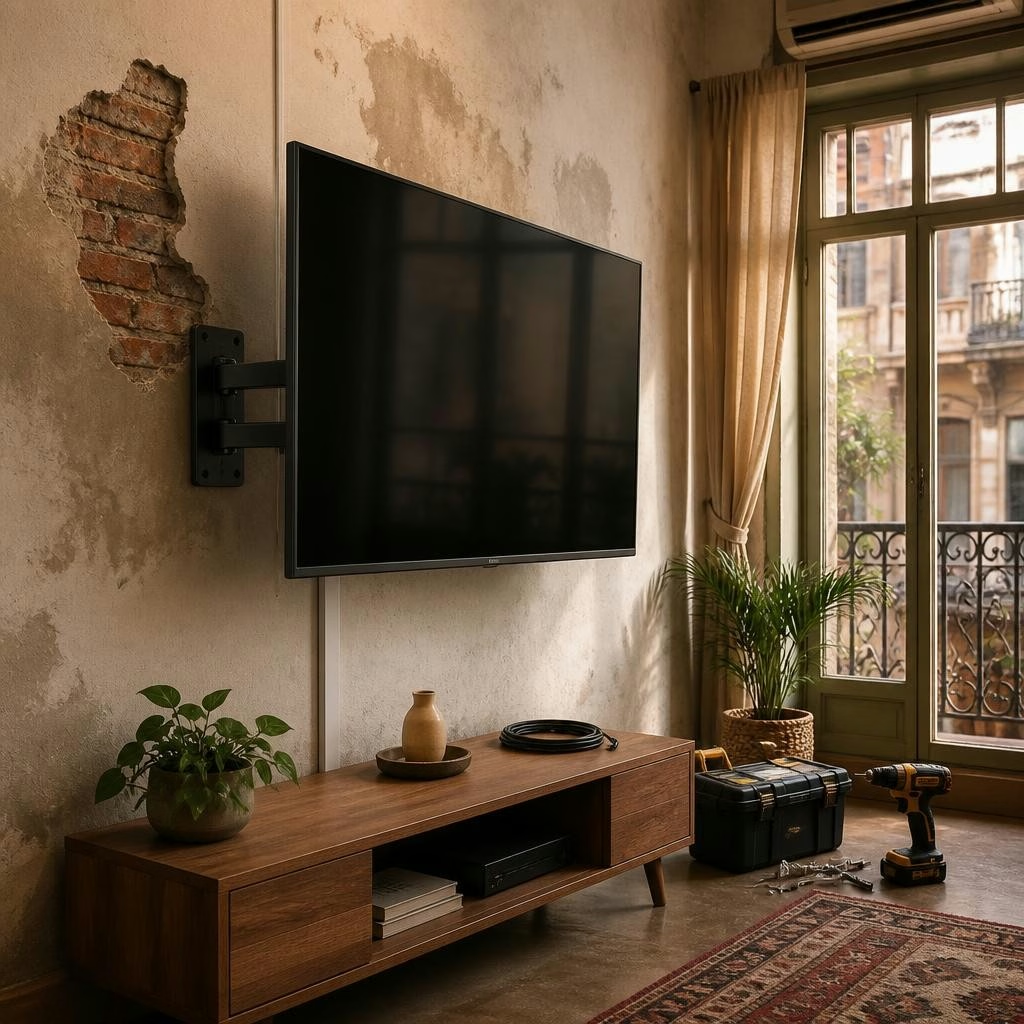
Why old Kolkata walls need careful attention
Many homes around Elgin Road and central Kolkata have solid brick cores, older lime or cement plaster, or thin partition walls. Each of these substrates behaves differently when you mount a modern LG OLED, QNED or UHD TV. Old plaster can be brittle, brick may be irregular, and lightweight partitions (often hollow) can be unable to take concentrated loads without reinforcement. Before booking installation, plan for a short on‑site assessment so the installer can identify a safe mounting method suited to your wall type.
Ask these questions at the showroom before scheduling
When you visit LG BEST SHOP - Swar Sangam, clarify installation scope and compatibility: which bracket types (fixed, tilting, full‑motion) are recommended for your chosen LG TV model; whether showroom installation covers different wall types or charges extra for masonry versus partition walls; options for hiding cables; who performs the on‑site assessment; and what after‑sales support is provided if any mounting issues appear. Many customers report helpful guidance from showroom staff, so bring photos of your wall and room layout to get the most accurate advice.
How installers assess the wall on site
A professional installer will determine whether your wall is solid (brick or concrete), a thin plaster layer over brick, or a hollow partition. This starts with a visual inspection and simple non‑destructive checks to locate solid substrate or timber studs. For older plaster, the installer looks for cracks, delamination or loose plaster that may need patching or a backing plate. Trust the installer’s judgement: mounting into unstable plaster without reinforcement risks damage to both the wall and the TV.
Choosing the right bracket for your living space
Bracket selection should balance viewing comfort and wall strength. Fixed brackets keep the TV close to the wall and are usually the lightest load, tilting brackets help reduce glare when the screen sits higher, and full‑motion brackets allow flexible viewing angles but place greater demand on fixings. For large LG OLED or QNED panels, confirm the bracket’s load rating and VESA compatibility with the showroom team before purchase, and ask which bracket type their installers recommend for your specific wall.
Fixings and alternative mounting solutions
Different wall materials require different anchors. Solid brick and concrete usually take masonry anchors or through‑bolts; thin or hollow partitions often need toggle anchors, a plywood backing, or locating timber studs for secure fixing. In some older homes it’s safer to attach a reinforced plywood or metal backboard across multiple attachment points to spread the load. If wall mounting is not viable, discuss alternatives with the showroom: a low‑profile stand or ceiling mount may be better suited to your structure.
Concealing cables and protecting TV ventilation
Concealing power and HDMI cables inside walls may require chasing plaster or installing conduit; this work can be invasive on older surfaces. Non‑invasive alternatives include surface raceways or decorative trunking that keep cables tidy without cutting into the wall. Whatever option you choose, leave adequate clearance for the TV’s ventilation and ports; installers should avoid covering vents and must ensure cable access for future servicing. Ask the showroom about concealment kits and whether their installation team provides neat, code‑compliant routing.
Placement tips for best viewing and safety
Mount the TV so the centre of the screen is at seated eye level for the primary viewing position, and avoid placing the screen too high where neck strain or glare becomes an issue. If mounting higher than eye level is unavoidable, use a tilting bracket to angle the screen downward. Also consider room lighting and seating arrangement: avoid direct sunlight on the panel and ensure the wall area can support the TV without obstructing ventilation or access to sockets.
Day‑of‑install checklist and aftercare steps
Before the installer arrives, clear the area and have the TV model and bracket details ready. Confirm with the installer which fixings they will use and that they will test the mounting for stability. After installation, ask them to demonstrate that ports and cable access are unobstructed and to leave an installation record or receipt. If you have concerns later, contact the showroom’s after‑sales support—many customers note that knowledgeable staff speed up resolution—so keep the installation contact details and any warranty or service information provided at purchase.
Customer review


Article by
LG BEST SHOP
LG Best Shop - Swar Sangam is a trusted LG Exclusive Brand Shop in Elgin Road, Kolkata, offering a complete range of genuine LG home appliances and electronics under one roof. Explore the latest LG OLED, QNED and UHD Smart TVs, AI Inverter Air Conditioners, French Door and Side-by-Side Refrigerators, Front Load and Top Load Washing Machines, Microwave Ovens, Water Purifiers, Dishwashers and Audio Systems. Experience live product demonstrations, expert product guidance, competitive pricing, attractive exchange offers, easy finance options, professional installation and reliable after-sales support. Visit LG Best Shop - Swar Sangam for an authentic LG shopping experience and discover the latest LG innovations for your home.