Buying a Used Phone in Coburg: A Practical Checklist to Avoid Hidden Repair Costs
A step-by-step checklist for shoppers around Coburg, Brunswick and Preston to spot common faults in second‑hand phones—so you can avoid surprise repair bills and know when to get a professional diagnostic from a local repair shop.
Why a checklist matters when buying used
Buying a second‑hand phone can save money, but hidden faults—worn batteries, repaired screens, water damage or faulty charging ports—quickly turn a bargain into an expensive repair. A short, systematic check before you buy helps you estimate likely repair costs and decide whether to negotiate, walk away, or buy and plan for repairs. Local repair shops in Coburg can also provide quick diagnostics if anything looks uncertain.
Start with a clear visual inspection
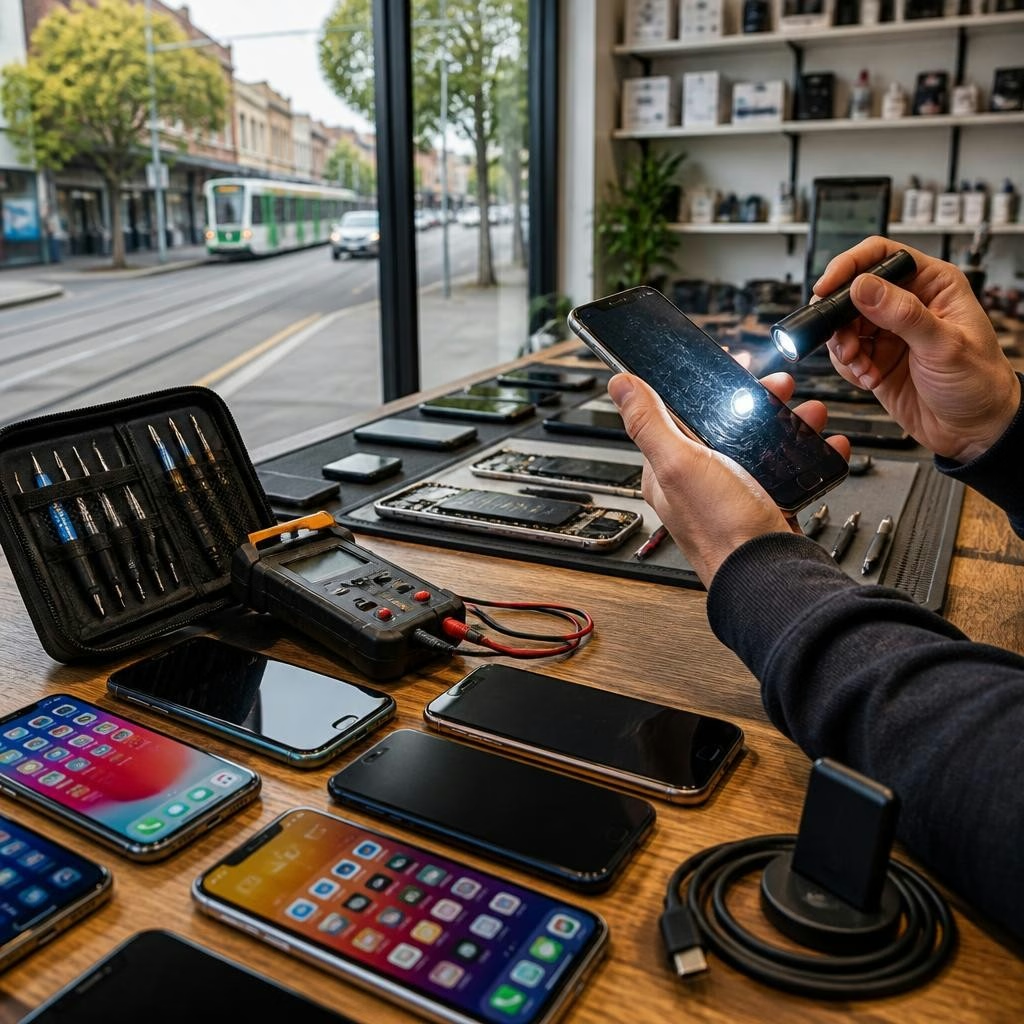
Examine the phone’s exterior for mismatched parts, uneven gaps, loose buttons or scratches around the charging port and SIM tray. Look for signs of a replaced screen (different glass texture, uneven bezel) and check screws and seams for tool marks. These visible clues often indicate prior repairs or rough handling, both of which can mean additional work later.
Power and battery checks you can do in minutes
Power the device on and off several times. On iPhones, check Settings > Battery > Battery Health for maximum capacity and peak performance capability. On Android, look for battery health information in settings or use a free battery app for a quick read‑out. Ask the seller how long a full charge lasts and whether the phone shuts down under light load—short run time or irregular shutdowns often mean the battery will need replacing soon.
Test the screen and touch responsiveness
While powered on, swipe across the entire display, open apps, and try typing fast to reveal dead pixels, ghost touches or areas that do not respond. Play a bright, full‑screen image to check for discoloration and uneven backlight. If a screen has been replaced, probe for poor fit or lift around the edges—these can allow dust and moisture in and may require another repair.
Check cameras, speakers and microphones
Open the camera app and test front and rear cameras at different settings (photo, video, panorama). Make a voice memo and play it back to test the microphone, then play music and a video to check speakers. Try the earpiece by making a quick call. Faulty cameras or muffled audio may be repairable but can be costly on some models.
Inspect ports, charging and connectivity
Insert and remove the SIM tray to confirm it sits correctly. Inspect the charging port for debris, corrosion or loose pins and plug in a charger to confirm the phone charges reliably. Verify Wi‑Fi and Bluetooth connect to networks and devices. A wobbling port or intermittent charging often means repair or port replacement is needed.
Look for water‑damage signs and activation locks
Check for corrosion or residue around connectors and inside the SIM tray. On many phones a moisture indicator inside the SIM slot will show exposure to liquid. Also make sure the device is not activation‑locked (Find My iPhone/Activation Lock or Google account lock). A locked phone is effectively unusable for resale unless the seller can remove the lock.
Ask the seller the right questions
Before you agree to buy, ask about the phone’s repair history, battery replacements, whether the device has had a screen swap and if it has been exposed to water. Request a short test period where you can use the phone on your network. If the seller has a receipt or original box with serial/IMEI details, that helps you verify model and ownership.
Factor likely repair costs into your offer
If you find issues—an ageing battery, a replaced screen, or a sticky charge port—get a local repair estimate before finalising the purchase. Customers in Coburg report fast turnarounds for common repairs (some screen or battery jobs are completed in as little as 20–40 minutes) and shops can often estimate costs on the spot. Use that estimate to negotiate the price or decide whether to pass on the device.
When to get a professional diagnostic in Coburg
If anything is unclear—suspected water damage, intermittent faults, or software issues—get a professional diagnostic rather than buying and hoping for the best. Local repair shops like Zee Mobi Solutions in Coburg offer device diagnostics, battery and screen replacements and water‑damage recovery; customers frequently praise quick, helpful service and successful recoveries. A short professional check can save you from unexpected repair bills after purchase.
Customer review


Article by
Zee Mobi Solutions - Phone Repair Coburg
Zee Mobi Solutions is your trusted destination for expert mobile phone, MacBook, and laptop repairs in Coburg. We specialise in fast, reliable, and affordable repair services for all major brands, including Apple, Samsung, and more. Whether it’s a cracked screen, battery replacement, water damage, or software issues, our skilled technicians have you covered. We use high-quality parts to ensure lasting performance and customer satisfaction. Conveniently located in Coburg, we pride ourselves on quick turnaround times and exceptional service. Visit Zee Mobi Solutions today for professional repairs and get your device back in top shape!