Moving to Coburg or Fawkner: A Practical Guide to Setting Up and Maintaining Your Phone, Laptop and MacBook
Practical steps for newcomers in Coburg, Fawkner and nearby suburbs to set up phones and laptops, keep devices healthy, and know where to go locally when repairs are needed.
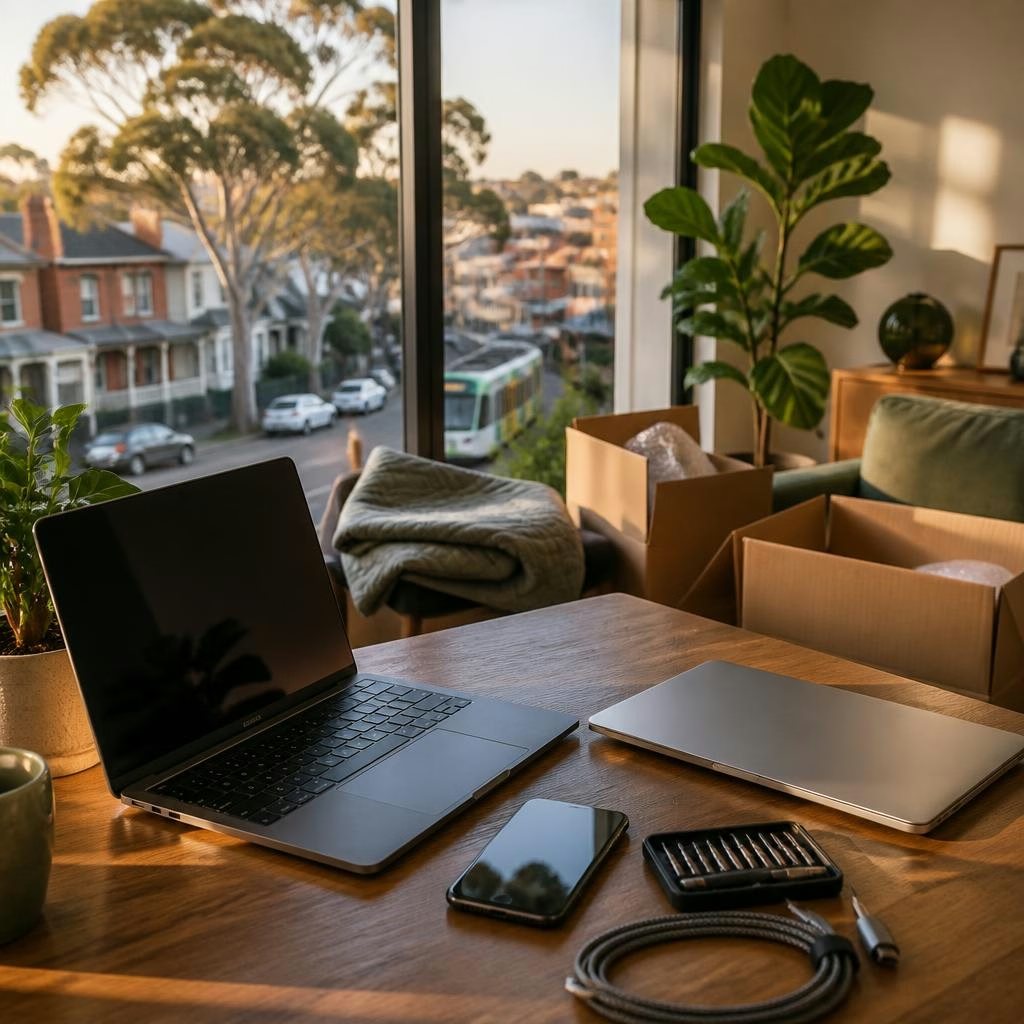
A quick tech orientation for new residents
Moving neighborhoods brings a lot to organise — and your devices are usually at the top of the list. This guide walks you through immediate setup tasks for phones and laptops, basic maintenance that reduces the chance of early repairs, and practical, local options for service in Coburg and nearby suburbs such as Fawkner, Preston and Brunswick.
First things to do with a new or moved-in phone
When you power up your phone in a new home, start by inserting your SIM or activating eSIM, sign in to your Apple ID or Google account, and enable Find My iPhone / Find My Device. Connect to your home Wi‑Fi and verify mobile data/APN settings with your carrier so calling and messaging work reliably. Set up two-factor authentication and add an emergency contact. Finally, make a first full backup (iCloud, Google Drive or a local computer) so your contacts, photos and messages are protected from day one.
Getting your laptop or MacBook ready
For laptops and MacBooks, update the operating system and install important drivers and security updates before you start installing additional apps. Create an administrator account and a standard daily-use account, and enable automatic backups—Time Machine for Mac or a regular backup routine on Windows. Check battery health and plug in until your system recognises the battery properly. Install the apps you actually need and avoid unnecessary toolbars or bundled software that can slow performance.
Setting up secure home networking
A strong home network makes a big difference in day‑to‑day device reliability. Give your Wi‑Fi a unique SSID and a strong password, keep router firmware up to date, and consider a separate guest network for visitors. Position the router centrally to reduce dead spots and, if you work from home or stream a lot, use an ethernet connection for critical devices when possible. If you’re unsure about your setup, a local technician can test speeds and suggest simple improvements.
Protecting devices from accidents and early wear
Small precautions cut repair risk. Use a good-quality case and screen protector for phones, avoid full discharges on batteries, and keep liquids away from electronics. When choosing protectors or replacement parts, ask about material quality—some customers report replacement parts that fail quickly, so it’s worth confirming what parts are used and whether they come with any warranty or testing before you leave the shop.
Routine maintenance that prevents common problems
Keep devices healthy with regular habits: install OS and app updates, remove unused apps, run occasional malware scans on Windows machines, and clean charging ports and vents gently to prevent connectivity and overheating issues. Monitor battery performance (battery health features on iPhone and macOS/Windows), and replace batteries once capacity drops significantly to avoid unexpected shutdowns or swelling.
When to bring a device in for repair
Not every glitch needs a shop visit, but some signs do: repeated charging faults, unexplained restarts, severe screen damage, cameras or microphones failing, and water exposure. In one local example, a customer brought in an iPhone with water damage and the device was successfully saved — a reminder that timely professional attention can sometimes prevent total loss. If your device shows physical damage or won’t start, switch it off and seek repair advice rather than waiting.
Local repair resource: Zee Mobi Solutions (Coburg)
If you need local help, Zee Mobi Solutions in Coburg specialises in mobile phone, MacBook, laptop and iPad repairs. Located at 375 Sydney Road, Coburg, they handle cracked screens, battery replacements, charging faults, water-damage diagnostics and software issues. Reviews from local customers frequently highlight friendly service, quick turnarounds and reasonable pricing. The shop serves Coburg and neighbouring suburbs including Fawkner, Preston, Brunswick and Reservoir — a convenient option when an on-the-spot diagnosis or fast screen/battery fix is needed.
Questions to ask before you hand over your device
Before any repair, ask what parts will be used (original, refurbished, or aftermarket), if there’s a written estimate, expected turnaround time, and whether data backup is included or recommended. Confirm any warranty or repair guarantee in writing and request a receipt showing the work done. If data privacy concerns you, ask about how your device will be handled and whether technicians will need to access accounts — removing passwords and backing up data yourself is the safest approach.
New-resident tech checklist and next steps
As you settle in, use this checklist: activate or transfer your SIM, sign in to Apple/Google accounts, back up devices, enable Find My Device, secure your Wi‑Fi, fit a protective case/screen protector, and note a local repair option such as Zee Mobi Solutions at 375 Sydney Road for urgent fixes. Keep a copy of receipts and warranty details for any work done, and maintain simple weekly habits (updates, backups, light cleaning) to reduce the chance of surprises. With those steps in place, you’ll be well set up and ready to enjoy your new neighbourhood.
Customer review


Article by
Zee Mobi Solutions - Phone Repair Coburg
Zee Mobi Solutions is your trusted destination for expert mobile phone, MacBook, and laptop repairs in Coburg. We specialise in fast, reliable, and affordable repair services for all major brands, including Apple, Samsung, and more. Whether it’s a cracked screen, battery replacement, water damage, or software issues, our skilled technicians have you covered. We use high-quality parts to ensure lasting performance and customer satisfaction. Conveniently located in Coburg, we pride ourselves on quick turnaround times and exceptional service. Visit Zee Mobi Solutions today for professional repairs and get your device back in top shape!