Setting Up a New Phone in Coburg: Safely Transferring Data from a Damaged Device
Practical steps for Coburg locals on assessing a damaged phone, what repair shops can recover, and safe ways to move your contacts, photos, apps and accounts onto a new handset.
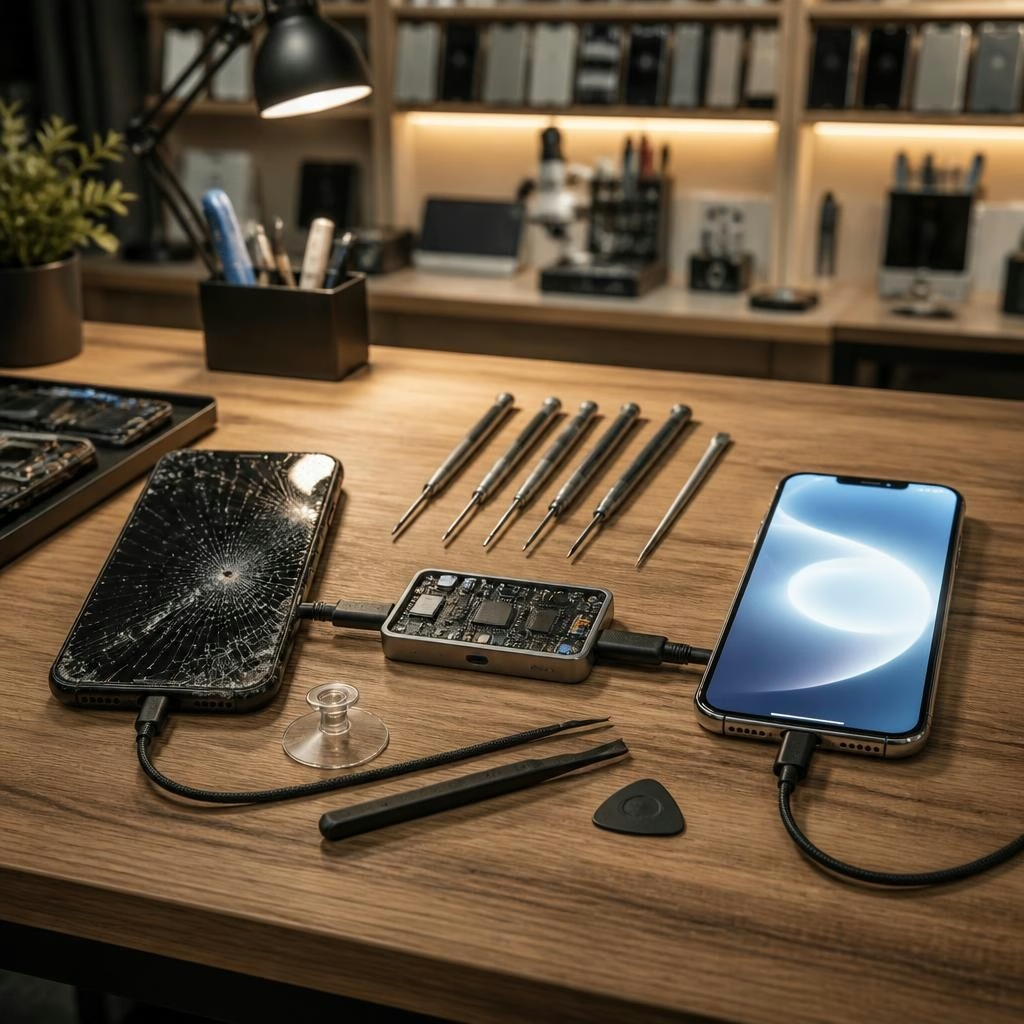
Why data safety matters when replacing a broken phone
When you replace a damaged phone, the priority is getting your data — contacts, photos, messages, apps and account credentials — safely onto the new device. Rushing the process, attempting risky DIY fixes, or handing the phone to someone unqualified can increase the chance of data loss. This guide explains sensible first steps, what repair shops in Coburg can realistically recover, and secure methods to transfer everything to a new handset.
First things to do with a damaged device
Before you try to transfer anything, assess the damage. If the screen is cracked but the phone still powers on, avoid tapping or forcing the display. If the phone overheats, smells burnt, or shows water inside, power it off and do not charge it. Removing the SIM card and any external storage (microSD) is safe to do, but avoid opening the phone yourself beyond that — internal components are delicate and a wrong move can make data recovery harder.
What repair shops can help with in Coburg
Local repair shops that handle phones, batteries and water damage can often help recover data from devices that won’t boot or have non-functional screens. At Zee Mobi Solutions in Coburg, technicians regularly perform screen and battery replacements and attempt water-damage recovery; many customers praise the team’s knowledge and helpful service. A professional can assess whether the phone can be made to power on, provide a temporary display solution, or extract storage for data retrieval using specialised tools.
Common recovery methods technicians use
Technicians typically use a few approaches depending on the fault: replacing a broken screen or battery so the phone can boot; connecting the phone to a PC to retrieve files; using recovery software to export data from a partially functioning device; or in some cases, accessing the phone’s internal storage directly (only when necessary and with consent). If the phone is encrypted and locked, recovery will usually require the device passcode or Apple/Google account credentials.
What’s usually recoverable after screen or battery failure
If the storage chip is intact, data like photos, contacts, messages and app data are often recoverable after replacing a screen or battery. Screen-only damage frequently allows a full transfer once the phone powers on. When a battery prevents booting, a replacement battery will sometimes bring the device back to life long enough to back up. Water-damaged phones are more variable: early, professional intervention improves the chance of recovery, but success depends on corrosion and how long the device was exposed.
Secure transfer options for your new phone
Choose a secure transfer method based on platform and what’s available: cloud restores (iCloud or Google Backup) are simplest when recent backups exist; direct device-to-device transfers (Apple Quick Start, Android’s device migration, or vendor apps) move data over Wi‑Fi or a cable; and PC/Mac backups let you export photos and files manually. For sensitive accounts, make sure two-factor authentication methods are migrated or reinstalled safely and that you still control the linked email address or phone number.
SIM, eSIM and account considerations
Before switching phones, check your carrier’s SIM/eSIM options. Physical SIMs can be moved between phones, but many newer models use eSIMs which require carrier transfer. If your old phone is damaged but the SIM is intact, removing it preserves your number and some contacts stored to SIM. For accounts (Apple ID, Google Account, email, banking), ensure you know the passwords and can receive verification codes — otherwise data access can be blocked even when files are recovered.
What to ask a Coburg repair shop before handing over your phone
When you bring a broken device to a local technician, ask: what recovery methods they recommend for your specific fault; whether they need your device passcode to access encrypted backups; if they will attempt a temporary screen/battery replacement to recover data; estimated time and costs for diagnostics; and how they handle privacy and returned devices. Positive local reviews highlight helpful communication and fair charging, which can be reassuring when choosing where to go.
Verifying data after transfer and next steps
After moving data to the new phone, verify essential items first: contacts, recent photos, messages, email access and banking apps. Reinstall apps from official app stores rather than copying APKs or unofficial sources. If anything is missing, contact the repair shop that performed the recovery — technicians can often attempt additional extraction or suggest alternative approaches such as deeper forensic tools when appropriate.
Local help in Coburg and how to prepare before you visit
If you live near 375 Sydney Road, Coburg, Zee Mobi Solutions handles screen, battery and many water-damage jobs and can advise on data recovery and secure transfers to a new handset. Before you visit, write down account usernames, try to remember device passcodes, and bring proof of ownership if requested. One local reviewer has noted the team’s knowledge and honest, helpful approach — useful qualities when you’re trusting someone with your data and device.
Customer review


Article by
Zee Mobi Solutions - Phone Repair Coburg
Zee Mobi Solutions is your trusted destination for expert mobile phone, MacBook, and laptop repairs in Coburg. We specialise in fast, reliable, and affordable repair services for all major brands, including Apple, Samsung, and more. Whether it’s a cracked screen, battery replacement, water damage, or software issues, our skilled technicians have you covered. We use high-quality parts to ensure lasting performance and customer satisfaction. Conveniently located in Coburg, we pride ourselves on quick turnaround times and exceptional service. Visit Zee Mobi Solutions today for professional repairs and get your device back in top shape!